
Tip Toeing in My Jordans AI Examples: Photos to Video
Compare Tip Toeing in My Jordans AI examples with their input photos, playable videos, measured specs, generation times and known likeness issues.
Last updated: 2026-10-16
See what changes when you cast yourself as the dancer or add a friend as the onlooker. These Tip Toeing in My Jordans AI examples pair the exact input portraits with complete, playable outputs so you can check faces, movement and continuity before paying.
Both portraits show fictional, AI-generated adults. These are real video outputs from our October 15–16, 2026 reference-mode test, before the latest prompt revision. They are demonstrations from the team, not customer reviews or proof of the current prompt's quality.
Tip Toeing in My Jordans AI examples: one photo
Photo 1 supplies the dancer. The seated woman keeps the reference character's identity. Compare the face in the close-ups, then watch the whole clip for changes in clothes and framing.
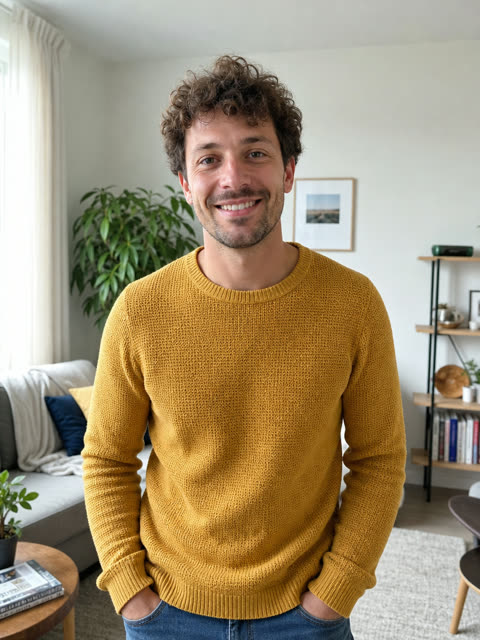
Input · dancer. The portrait is synthetic; no customer photo is used.
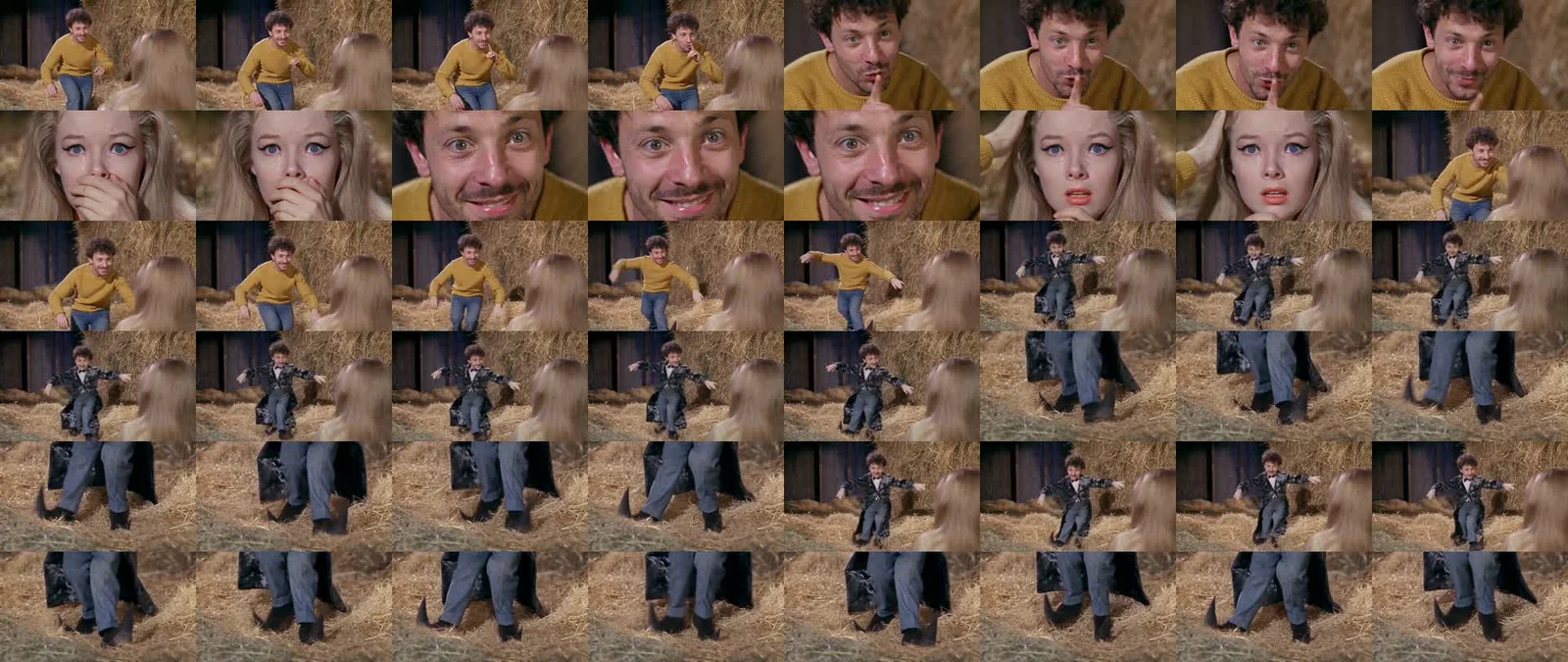
What to look for: The male face is recognizable in our visual review, but the mustard sweater and jeans from the input appear for roughly the first 5.3 seconds before switching to a black costume. Later framing and the ending also depart from the reference. Recognizable identity does not mean stable clothing or identical choreography.
Two photos: your friend as the onlooker
Photo 1 still plays the dancer. Photo 2 supplies the seated woman's identity; it does not create two dancers. Watch her reaction close-up as carefully as the dancing man.
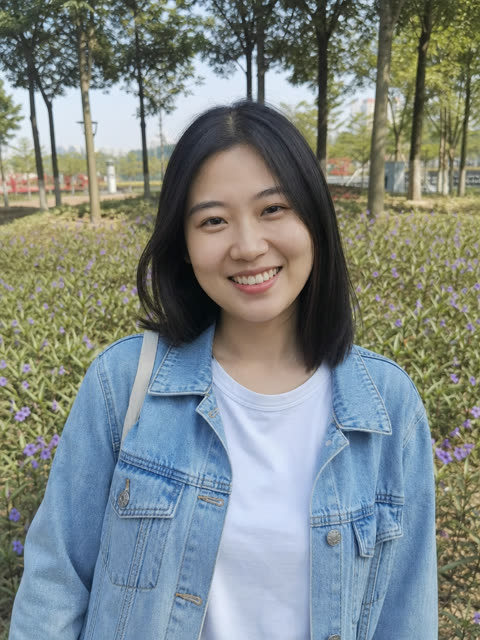
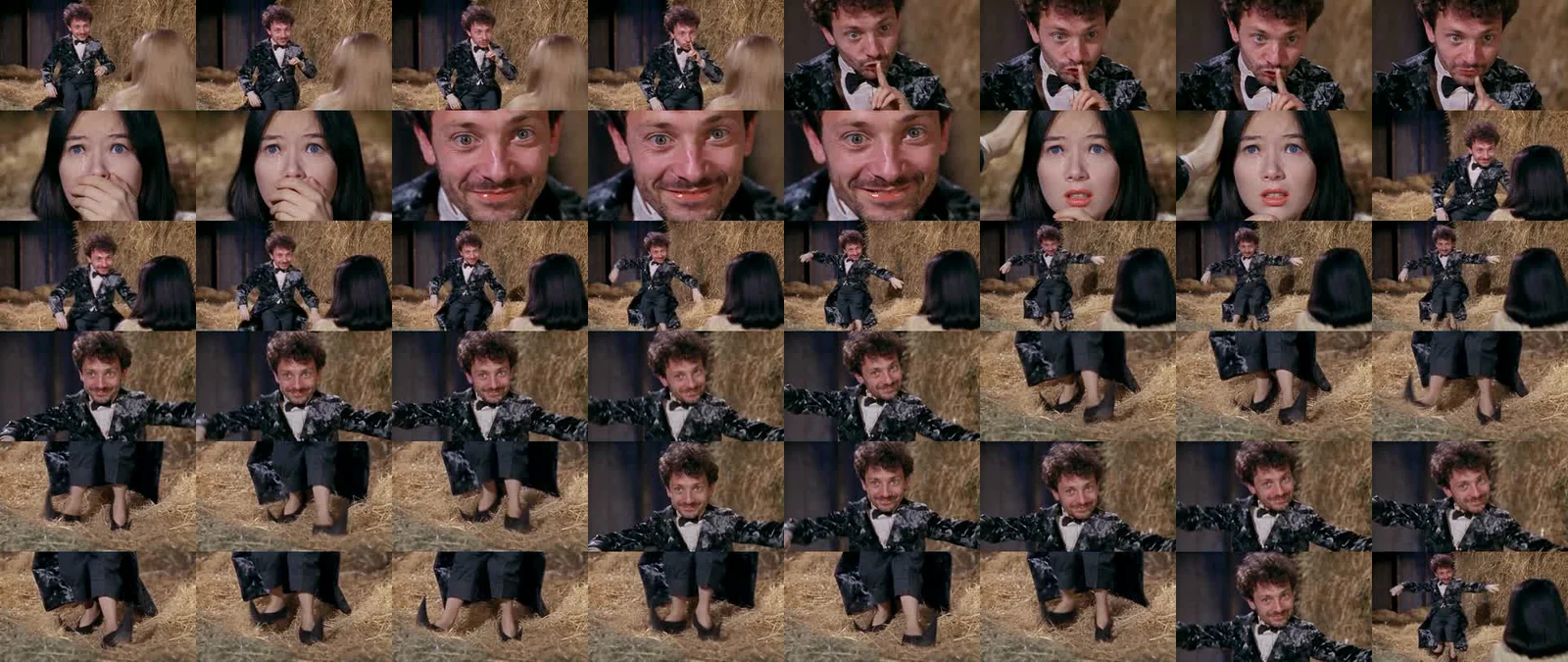
What to look for: The dancer remains recognizable, and the onlooker's hair changes. Her close-up still retains blue eyes and facial features from the reference character, so the second identity is not a reliable match in this test. We did not observe a role swap; we did observe insufficient likeness. An extra wide shot also changes the ending.
Measured video specifications and timing
| Measurement | One photo | Two photos |
|---|---|---|
| Video-track duration | 12.041667 seconds | 12.041667 seconds |
| Resolution | 1280 × 720 | 1280 × 720 |
| Frame rate | 24 fps | 24 fps |
| Frame count | 289 | 289 |
| Provider-reported processing time | 270 seconds (4 min 30 sec) | 288 seconds (4 min 48 sec) |
| Test route | Seedance 2.5 reference | Seedance 2.5 reference |
| Published file | H.264 MP4, 16:9 | H.264 MP4, 16:9 |
We measured the original video tracks with ffprobe. The playable files above are compressed web copies with the reference audio added; they preserve the measured video duration and dimensions. Processing times come from the completed provider tasks and exclude photo preparation, upload, audio processing and download. They are two observations, not a delivery-time guarantee.
For a frame-by-frame overview, open the single-photo contact sheet or two-photo contact sheet. Each grid runs left to right, then top to bottom, at four frames per second. The original one-photo output and original two-photo output are available without the added soundtrack.
Likeness, failures and retries
A completed task can still have visual problems. Face drift, inaccurate second-person likeness, clothing changes and altered shots are quality issues even when the provider returns a playable file. These examples show those issues rather than hiding them behind a polished still.
We do not have a measured production failure rate. There is only one sample of each mode here. A percentage calculated from those two clips would not tell you how often your result will succeed or look right. We have not measured face similarity with a recognition system, and the revised prompt has not been validated by these historical samples.
Technical failure and a new attempt are different. A task marked failed returns its video allowance. A completed result does not automatically return an allowance for a likeness complaint. Making another completed video uses another allowance; it is not a free redo. If something looks wrong, contact support with the task details before buying another attempt. Cash refunds follow the service terms.
Choose a mode, then decide whether to generate
Use one photo if you only want to cast the dancer. Use two if the onlooker's role is part of your joke, while allowing for the second-face limitation shown above. Both modes use one video allowance. A single video is $9.90; larger one-time packages reduce the per-video cost.
For a preview using your own portraits, choose Free preview beside Make my video after adding your photos. Sign-in and Cloudflare verification are required. Each account can submit one free preview across solo and duo modes; the single still preview does not use a paid video allowance. It is generated with GPT Image 2 and can differ from a finished video in motion and likeness.
Choose your photos in the generator, follow the upload and posting guide, or trace the meme's original posts and remixes. The generator makes landscape MP4s; check the framing and the music rules of your destination before sharing.